
Yubi reads your own records, finds what needs attention, explains what is going on, and gets the next step ready — so the thing you were going to miss comes to you instead.
Works on your own live records
Recommends and prepares; you decide
Your customers’ names never reach the model
From data to decisions. Together.
How Yubi works
Four steps, running every day.
Yubi sits on the data your business already creates in Invologs — orders, stock, invoices, customers — and works through the same loop each day.
01WatchesYubi keeps an eye on sales, stock, invoices and customer activity as it happens.Tracking 2,140 SKUs across 3 locations
02FindsWhen a number moves outside its normal range, Yubi flags it instead of waiting to be asked.Garlic Powder sales down 18% week on week
03ExplainsIt traces the cause through related records and tells you what is behind the change.Two repeat buyers have not ordered in 21 days
04ActsYubi drafts the follow-up, reorder or report and waits for your approval before sending.Draft ready: follow-up to 6 customers
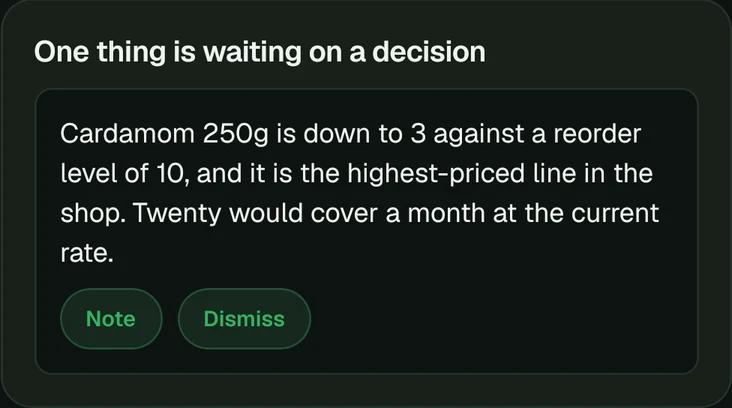
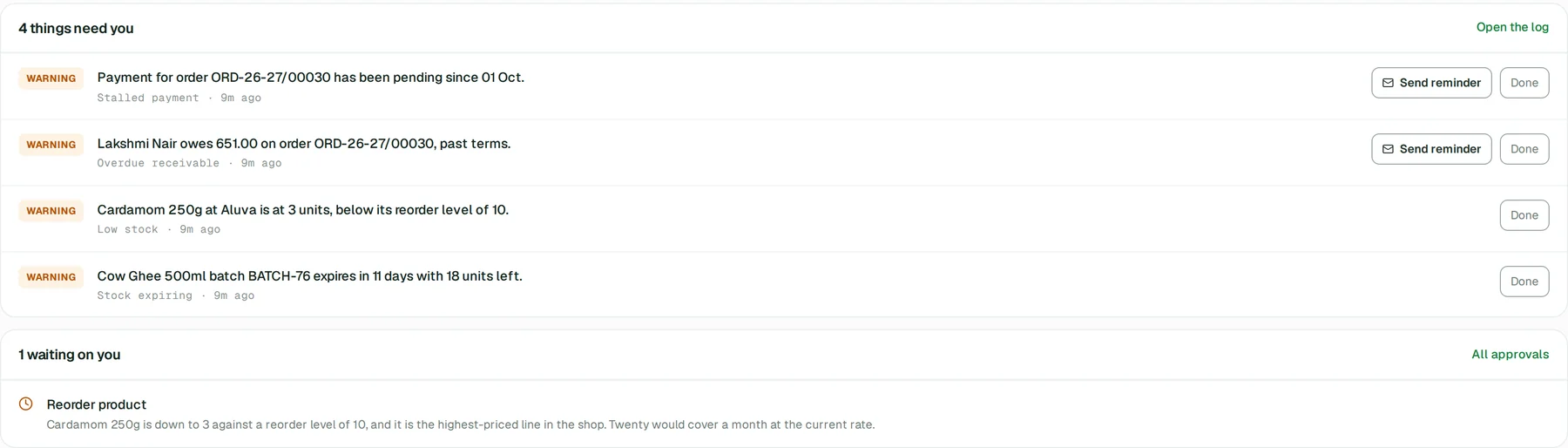
Yubi measures what is left against how fast it actually sells, works out what to order, and leaves you a purchase order to check. Ordering is still your decision.
1Yubi noticesThe low-stock monitor runs on the schedule you set. It works out days of cover from recent sales, and falls back to the reorder level for anything that has not sold.
2Yubi looks closerWhere you have asked it to, the finding escalates to an investigation that reads the product, its movement and any purchase order already open.
3Yubi recommendsA reorder, with a quantity, a supplier and the reasoning — waiting for you under Approvals rather than acting.
4You decideNote it or dismiss it. Nothing is ordered and nobody is written to until you do something with it.
5You raise the orderYubi prefills the purchase order — who, where, which products, how many, at what price. Tax categories and unit conversions come from your own defaults, never from the model.
Yubi9:12 AM
3 products fall below a week of cover at the last 30 days’ rate of sale.
Onion Flakes 500g has 5 days left, Garlic Powder 100g has 6, and Moringa Powder 500g has 6.
Look into itShow the productsYubi9:14 AM
Onion Flakes 500g sells 14 a day and there are 68 left. The last purchase order for it was received 41 days ago; nothing is open now.
I would order 300, which is three weeks of cover at that rate.
Recommendation, not an orderThis is waiting under Approvals. Noting it records your decision; it does not place anything with anybody.Note itDismissYou9:15 AM

Note it, and open the purchase order.
Yubi9:15 AMPurchase order prefilledSupplier, location, product and quantity are filled in. Check the rate and the tax lines before you send it — those come from your defaults, and they are yours to confirm.
Yubi in action
Chase what is overdue, without doing it yourself
The one thing Yubi carries out for you. It finds the balances past their agreed terms, and once an administrator approves, the reminder goes to the customer from your own address.
1Yubi noticesAn invoice passes the payment terms recorded against it. A payment that was started and never completed is a separate finding.
2Yubi reads the accountThe order, every payment against it, the returns, and what the terms actually say — before deciding a chase is warranted.
3Yubi recommendsA follow-up, with the balance and how late it is. The reasoning is written for whoever approves it, and it names references rather than people.
4An administrator approvesWriting to a customer about money is an Admin action, the same as the reminder button on the order screen itself.
5Yubi sends itFrom your organisation’s own sender address, in wording the product owns rather than wording a model wrote — and it re-reads the balance first, so an invoice settled in the meantime is never chased.
Yubi11:05 AM
7 invoices are past their terms — ₹86,400 in total, and four of them by more than 15 days.
The oldest is 32 days past a 15-day term. Nothing has been paid against it since it was raised.
Show the invoicesYubi11:06 AM
I would write to the four worst first. Each has an email address on file and a balance still outstanding.
Approve and sendDismissYubi11:07 AM3 reminders queued, 1 stoppedOne of the four was settled between my proposing it and your approving it, so nothing went to that customer. The other three are queued to the mail worker, which retries rather than losing them.
Yubi in action
Notice the customer who stopped ordering
Yubi knows who used to order like clockwork and has not. It brings you the account, the history and a reason to call — and leaves the call to you.
1Yubi noticesA customer with enough history for the silence to mean something has stopped ordering. How long counts as quiet, and how many past orders count as history, are both yours to set.
2Yubi reads the historyWhat they buy, how often, what they last spent, and whether anything went wrong on the last order — a return, a late delivery, an unpaid balance.
3Yubi recommendsThat somebody gets in touch, with what to say and why now. It writes for you, not for the customer.
4You decideNote it or dismiss it. Yubi sends nothing here.
5You make the callTheir name and number are on the record in front of you. They were never in the prompt.
You4:20 PM
Who has gone quiet this month?
Yubi4:20 PM
6 customers who ordered every 20–30 days have not ordered in 28 days or more. Between them they spent ₹42,800 with you last month.
Two of them had a return on their last order. That is worth knowing before anybody rings them.
Customer
Last order
Average order
customer:214
32 days ago
₹8,500
customer:118
28 days ago
₹7,200
customer:307
41 days ago
₹6,800
Why the referencesThat is what Yubi works with. Your screen shows the names; the model never receives them.Yubi4:21 PM
I would start with the two that had returns — a call about the return is a better reason to ring than a sales call.
Note itOpen the customers
Yubi in action
Understand the week, not just count it
Ask how the week went and Yubi answers from your own orders — with the figures it used, and a plain statement of anything it cannot know.
1You askIn the words you would use to a colleague. There is no report to configure.
2Yubi readsOrders, stock, payments and customers, live — and only what you are allowed to see. The assistant is bound to the person asking, so it cannot answer with anything the ordinary screens would refuse you.
3Yubi answersShort, with the numbers it relied on. Every figure comes from a read it actually made rather than from what seems likely.
4Yubi says what it cannot sayWhere the data does not hold the answer, that is the answer. Its read tools return their own limitations, so it tells you how many records it could actually measure instead of averaging over the ones it could not.
5You go deeperFollow-ups continue in the same thread, without repeating the context.
You6:02 PM
How did this week go?
Yubi6:02 PM
Sales are ₹1,24,320 across 96 orders — 18% up on the week before.
Spice mixes account for most of the rise. Dehydrated vegetables are down 9%, and two accounts that usually order on a Tuesday ordered on the Friday, which is most of that.
Show those two accountsWhat should I watch?You6:04 PM
How long are deliveries taking?
Yubi6:04 PM
For the 61 orders with a recorded arrival, 3.2 days. The other 35 reached their state before arrivals were recorded, so they have a status and no date — averaging across all 96 would give you a number that means nothing.
Of the 48 that also carry a date you gave the customer, 6 arrived after it.
Yubi in action
Describe what to watch, and it watches it
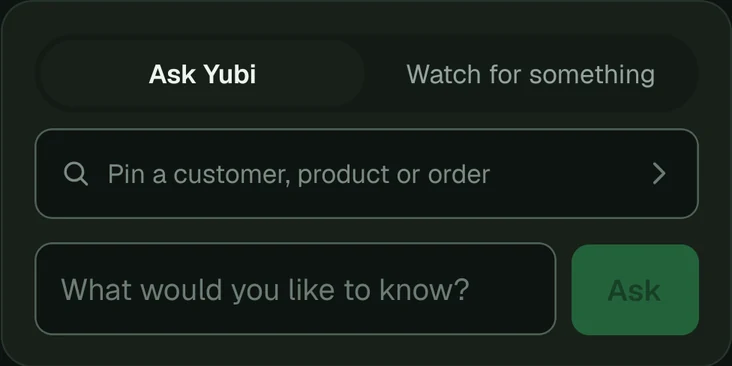
Say what you want to hear about. Yubi turns it into a query, shows you what it matches right now, and — once you agree it is right — runs it against your data on a schedule, for nothing.
1You say itOne sentence, in your own words. No rules to configure and no query to write.
2Yubi reads it backHow it understood the sentence, the query it wrote, and the rows that query matches at this moment. A monitor is the one thing nobody reads twice, so the moment it is created is the moment to check it.
3You create itThe query is checked and run again on the server rather than trusted from the browser — which is also what lets you edit it before you agree to it.
4It runs for nothingOne model call wrote it; every run after that is plain SQL. Watching your business never costs credits, on any plan.
5You hear only when it firesAnd it starts without the power to escalate: a rule written a minute ago raising investigations unattended is how a month’s allowance disappears. Turning that on is a second, deliberate decision.
You8:40 AM
Tell me whenever a customer who usually orders every month has not ordered in 40 days.
Yubi8:40 AM
Read as: customers with at least three orders in the last six months, whose most recent order is more than 40 days old.
The query it will run
SELECT c.id, MAX(o.order_date) AS last_order
FROM sales_orders o JOIN customers c ON c.id = o.customer_id
GROUP BY c.id
HAVING COUNT(*) >= 3
AND MAX(o.order_date) < now() - interval '40 days'
It matches 4 customers right nowShown before anything is created, so you can tell a rule that works from a rule that reads well.Create this monitorEdit the queryYubi8:41 AMMonitor created, checking dailyRunning and not escalating. You can rename it, change how often it runs, pause it or delete it — and turn escalation on when you want the reasoning too.Custom monitors are a Business-plan feature.
Yubi in action
Answer your customers while you are asleep
The one place Yubi talks to a customer instead of to you. It answers about that customer’s own orders, and hands over to a person the moment it should.
1A customer asksIn your WhatsApp thread, in the middle of the automation that already carries the catalogue, the cart, the address and the payment link.
2Yubi is bound to themNot the staff tools with a filter on top — a smaller set of tools where the customer is fixed on the server and there is no id for a model to swap.
3Yubi answersWhat they ordered, what it cost, what is still owed, where it has got to, the date they were given and the day it actually arrived. Its reply is sent as written, so it is written to be read on a phone.
4Yubi stopsWhen the question is not one it can answer from the record, it says a person will come back to them and hands over. That is a good outcome, not a failure.
5You see all of itEvery thread is in Messages, and you can take one over at any point.
Your customer9:48 PM
Hi, when will my order arrive? And did my payment go through?
Yubi9:48 PM
Your order from Tuesday is packed, and you were given Friday for delivery.
Payment of ₹2,450 was received on Tuesday evening, so nothing is outstanding.
Your customer9:49 PM
Can you add two more bags of the onion flakes to it?
Yubi9:49 PM
I cannot change an order that is already packed. I have passed this to the team and somebody will come back to you shortly.
Handed over, on purposeA placed order is not editable in Invologs — a change is a return or a new order, and that is a decision for a person rather than for an assistant.WhatsApp automation is a Business-plan feature.
Yubi watches more than this.
Every one of these is a monitor that runs on your data on a schedule you set. They are plain queries, so they cost nothing to run on any plan — what a paid plan adds is the reasoning behind what they find.
Stock expiringBatches past their date, or coming up to it, that still hold stock — reported per batch, because the batch is what gets pulled.
Stalled paymentsA payment that was started at the gateway and never completed.
Unusual returnsA product coming back more often than it used to, before it becomes a habit.
Inventory discrepanciesStock that has gone negative, which means a count or an entry is wrong.
Documents you uploadHand Yubi a supplier’s invoice and it reads it into a draft you check.
Your own planWhat is left of your limits, and a warning before a ceiling stops you working.